
Images and visual references
Collect the examples that establish composition, atmosphere, material, styling, and tone.
Moodboard
The page couldn’t finish loading. Reload to try again.
Taking longer than expected? Check your connection.
Collect inspiration, organize references, add notes and color direction, then share a clean board for feedback.
Opening…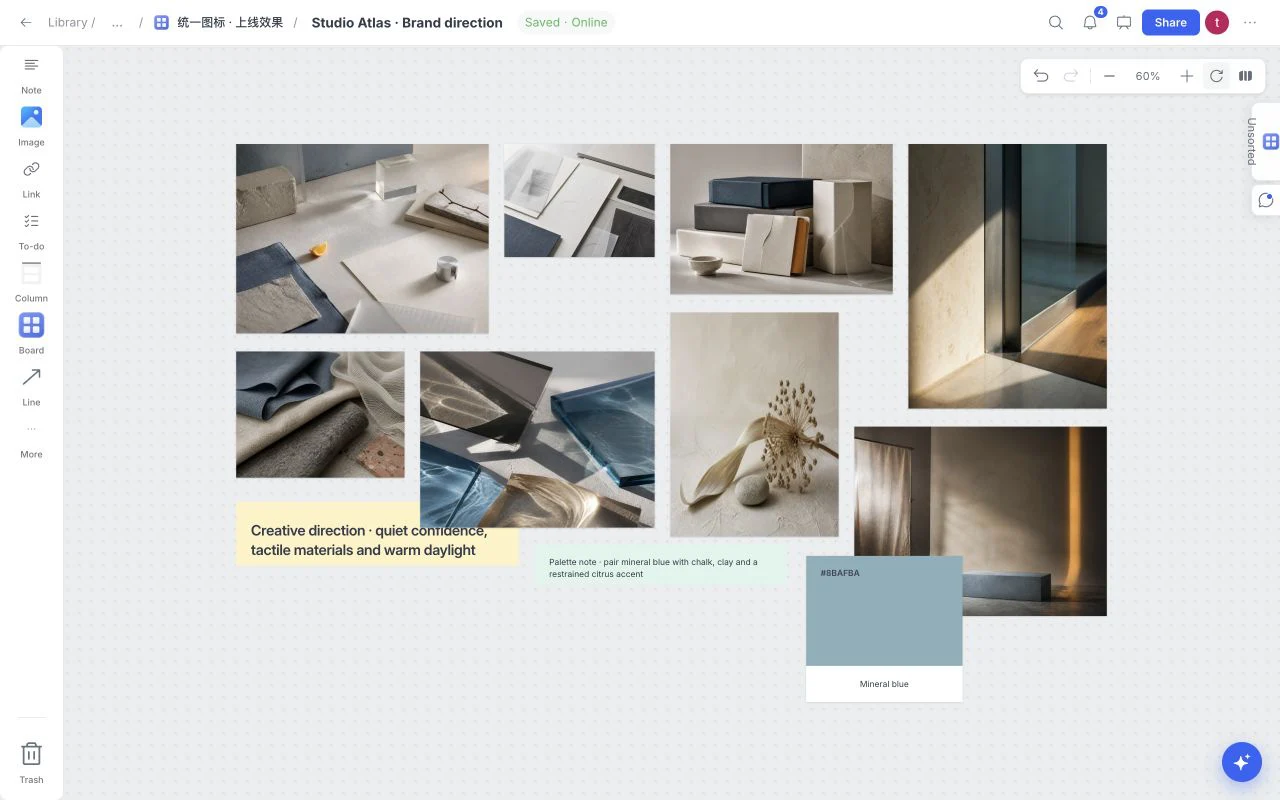
A useful moodboard maker helps you do more than place images in a grid. It gives references enough context to become direction: space to compare alternatives, short notes that explain why an example matters, color and type choices beside the imagery, and a clear path from collection to review.
Collect the examples that establish composition, atmosphere, material, styling, and tone.
Explain the pattern between references so reviewers respond to the intended direction rather than individual taste.
Keep source material, practical constraints, next actions, and loose thinking beside the visual work.
Move from editing to a focused walkthrough when the moodboard is ready for feedback.
A clear visual workflow begins with purpose, expands through collection, and ends with deliberate editing.
Bring images, links, notes, files, colors, and tasks into one spatial view.
Group references, compare alternatives, and keep decisions beside the work.
Present the board, share a protected view, or export the current layout.
Create a brand moodboard, interior design concept, fashion direction, campaign look and feel, film treatment, product launch world, editorial brief, website art direction, event concept, or personal inspiration board. The canvas stays flexible while templates provide a useful starting structure.
Explore creative use casesA static collage is useful for a final snapshot. An online moodboard maker is better while the direction is still being discovered because images can move, notes can change, links and files can remain attached, and feedback can be resolved without exporting another version after every review.
Browse free templatesClear answers about plans, templates, sharing, and account access.
It is a visual workspace for collecting, arranging, explaining, and reviewing the references that define a creative direction.
Yes. Moodboard currently provides free access for creating a visual board. Paid subscriptions are not on sale.
Use a focused set of images, color and typography references when relevant, short rationale notes, and the constraints needed to judge the direction.
Yes. Open Templates from the board menu and choose one of the 12 included layouts, such as Graphic Design Moodboard, Creative Brief, Film Storyboard or Research. Apply with or without example content.
Yes. Use Share to invite collaborators or create a review link. Choose the role, password and download settings that fit the recipient. You can also Present or Export the saved board.
Collect the references, decisions, tasks, and feedback for one real project in the same visual workspace.
Opening…