
Flexible spatial layout
Cluster related ideas, separate alternatives, and create a reading order without forcing the work into slides.
Moodboard
The page couldn’t finish loading. Reload to try again.
Taking longer than expected? Check your connection.
Plan, collect, arrange, and review work on a freeform board built for creative direction rather than generic sticky notes.
Opening…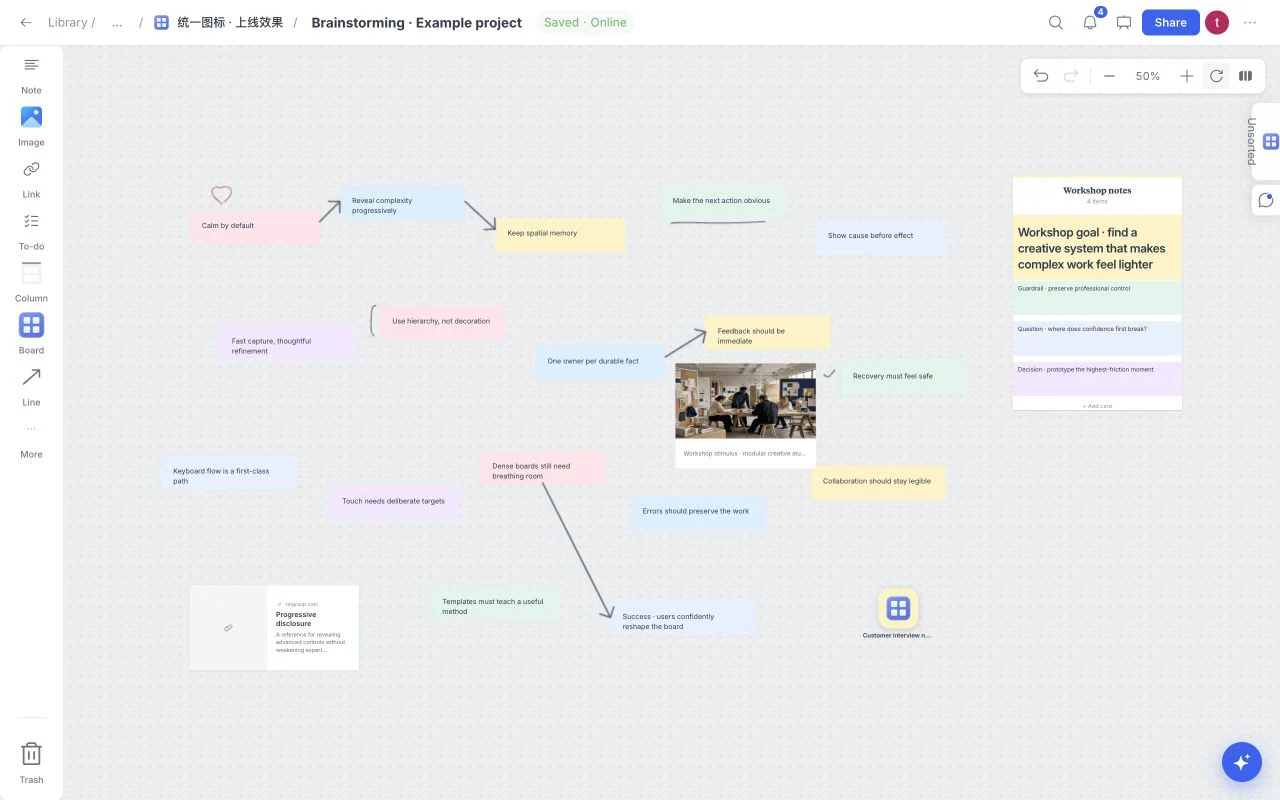
A visual online whiteboard is a flexible canvas for work that does not fit neatly into a document or spreadsheet. It lets you place images, notes, links, files, tasks, sketches, and connections spatially, so the relationship between ideas remains visible while the project changes.
Cluster related ideas, separate alternatives, and create a reading order without forcing the work into slides.
Combine images, notes, links, files, tasks, colors, drawings, and project references in the same visual field.
Treat canvas changes as one board history so experimentation remains safe and understandable.
Prepare a board for presentation and feedback without losing the working context behind the final selection.
A clear visual workflow begins with purpose, expands through collection, and ends with deliberate editing.
Open a blank canvas or begin from a project template that fits the work.
Combine references, notes, tasks, documents, sketches, and connections.
Use one board for editing, presentation, feedback, and export.
Use the board for moodboarding, visual research, creative briefs, campaign planning, storyboards, product launches, research synthesis, client review, workshops, and project planning. Templates help establish the first structure while the open canvas leaves room for the project to evolve.
Explore creative use casesGeneric online whiteboards are often optimized for meetings and temporary workshops. Moodboard focuses on durable creative context: high-value references, visual comparison, explanatory notes, source links, project files, tasks, and a path from exploration to presentation.
Browse free templatesClear answers about plans, templates, sharing, and account access.
Yes. The current Moodboard experience is available for free, and paid plans are not yet for sale.
You can work with images, notes, links, files, tasks, colors, sketches, and connected project context.
An account is used to open and retain a private working board. The sign-in page is not indexed by search engines.
Yes. The 12 included templates cover moodboards, briefs, storyboards, brainstorming, project plans, tasks, campaigns, class notes, writing, research, agency hubs and fashion lookbooks.
Use Undo and Redo for canvas edits, including a template application or an applied AI plan. Wait for Saved before leaving and keep original copies of important files; connection interruptions can delay remote saving.
Collect the references, decisions, tasks, and feedback for one real project in the same visual workspace.
Opening…