
How to run creative review without losing the direction
Set the decision, choose recipient access and turn comments into explicit next actions rather than an expanding wall of opinions.
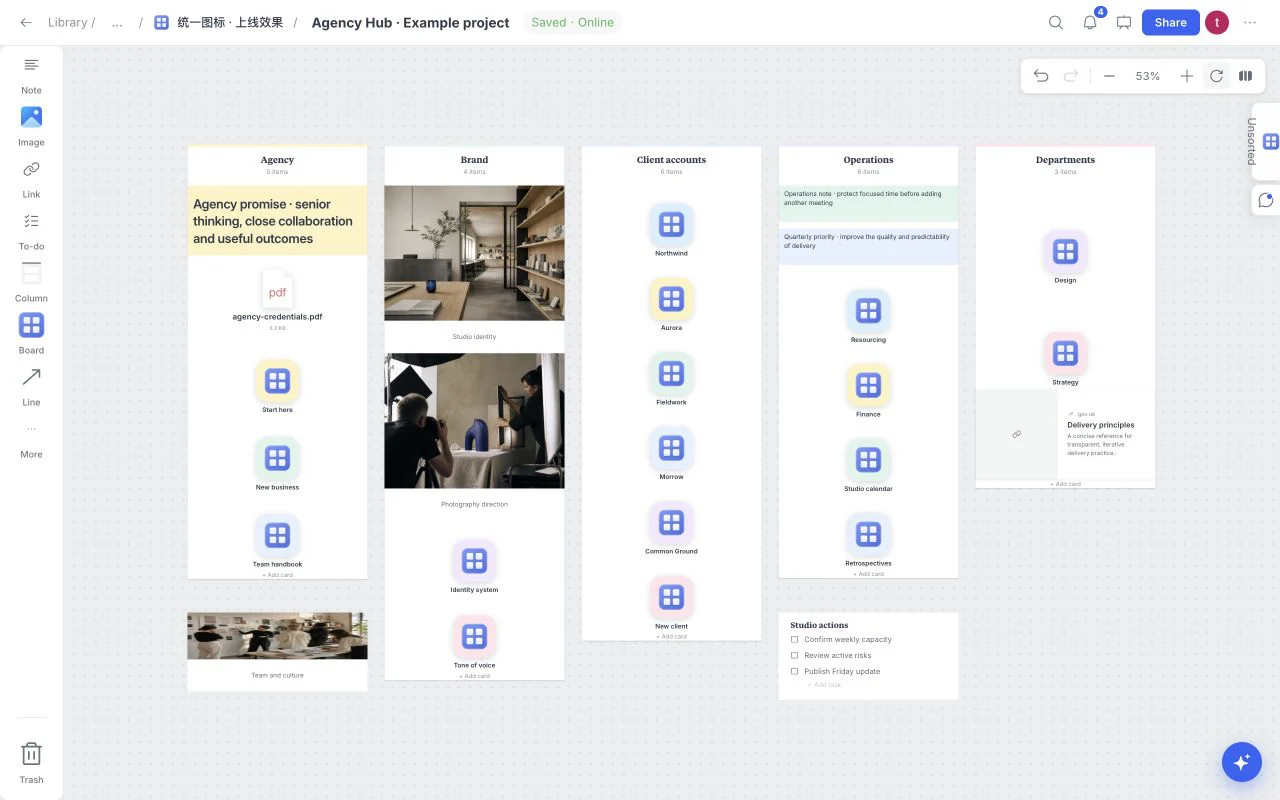
A review should make the next step clearer. When every reference receives an isolated opinion, the board grows busier while the direction becomes less certain. Start by stating what reviewers can actually change.
Frame the review on the board
Write the stage, the decision needed and the constraints. “Review visual direction; final copy comes later” is more useful than “Feedback welcome.” Add the audience, the intended output and a small set of questions.
Use one area per meaningful option. Explain why it fits the brief and which tradeoff it makes. Too many near-identical alternatives move the effort from creative thinking to arbitrary selection.
Choose access deliberately
Open Share before sending the board. A viewer can inspect; a commenter can participate in feedback; an editor can change the working content. Review the actual role, password and download settings for the recipient rather than assuming the link behaves like your own signed-in session.
A shared board is outside public search indexing, but noindex is not an access control. A person with valid access may still be able to see or use the material allowed by the share settings. Check the sources and rights of references you send.
Present the intended reading path
Arrange the brief before the visual options and keep supporting detail close to the option it explains. Use Present for a walkthrough. On a smaller screen, make sure the strongest references still communicate the direction without your spoken explanation.
Comments work best when anchored to a precise question. Ask which option supports the audience, what feels inconsistent, what is missing and what would block the next stage. Invite a reason, not just a preference.
Classify feedback before editing
| Feedback | Meaning | Next action |
|---|---|---|
| Reaction | A taste signal | Ask what quality caused it |
| Question | Missing explanation | Add context or clarify the reference |
| Constraint | A feasibility limit | Revisit the direction or production plan |
| Decision | A branch can close | Record the chosen option and owner |
The product stores comments and tasks, but it does not turn every comment into a formal client approval. Write the decision separately so everyone knows which interpretation is current.
Close the round with a calm board
Summarize the accepted direction, requested revisions, owner and next review. Move obsolete alternatives out of the main reading path. Use tasks for the concrete work and keep notes for the rationale behind it.
Wait for Saved before exporting the reviewed state. Keep original source files independently when they matter to delivery. The goal is a board another collaborator can resume without reconstructing the meeting.
Use Agency Hub for studio navigation and the current sharing help for recipient controls.