
How to build a film storyboard with useful shot notes
Plan eight connected frames and separate the sequence, visual treatment and production questions before a shoot.
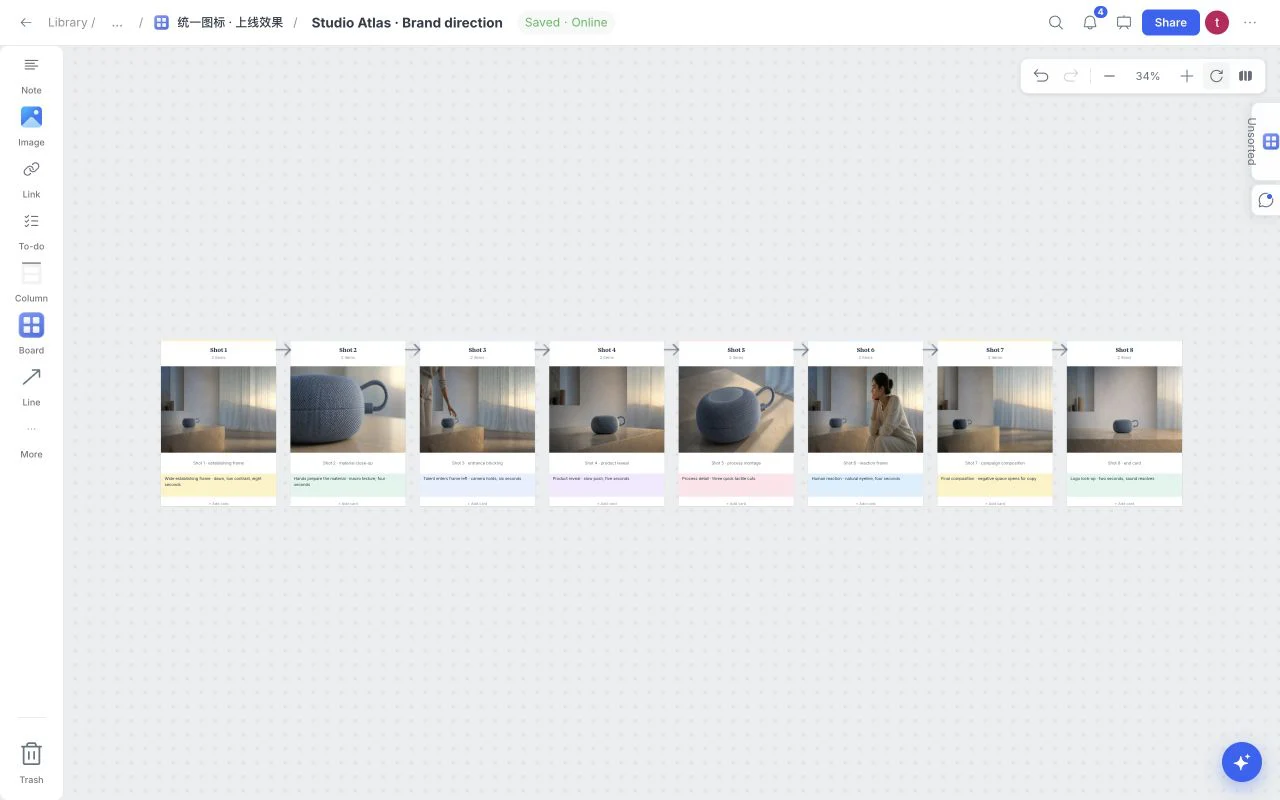
A storyboard connects an idea to a sequence of visible moments. It does not need to be finished illustration, but a collaborator should understand what each frame contributes and what changes between shots.
Start with a short sequence
Open Templates from the board menu and choose Film Storyboard. The current starter has eight connected shots in a horizontal sequence. Keep examples to inspect its structure, or apply without examples and add your own frames. You can remove the template application with one Undo.
For a simple ceramic product film, the sequence might establish the workshop, show a hand working clay, reveal the object’s silhouette, introduce the surface texture, and end with a quiet product frame. Write the action before deciding which visual reference to attach.
Give every frame one job
Use a frame to describe one visible action, not a full scene synopsis. “Light moves across the cup’s rim” is more actionable than “A beautiful artisanal atmosphere.” Name the shot size, camera direction and subject movement in a short adjacent note.
| Shot note | Example | Why it helps |
|---|---|---|
| Framing | Close-up of the rim | Defines what must be visible |
| Action | Rotate the cup slowly | Gives the moment a clear change |
| Duration | Approximately two seconds | Makes pacing discussable |
| Sound | Workshop ambience | Separates audio from visual treatment |
| Transition | Cut to the wider desk | Explains the link to the next frame |
These notes guide discussion; the template does not generate a timed video or automatically enforce production duration.
Use references for treatment
Add an image when it clarifies light, crop, texture or mood. State what to borrow and what belongs only to the reference. An original fictional image can demonstrate atmosphere; an existing campaign still needs its own source and usage boundary.

The accompanying coastal reference is original AI-generated editorial material. It is a visual treatment example, not a real location, a client production or a claim that Board AI generates film frames.
Review the sequence and the unanswered questions
Use connections to make the reading order visible. Zoom out and check whether the sequence still makes sense without reading every note. Flag missing continuity, uncertain framing and practical questions separately from confirmed decisions.
Present the board for a walkthrough, or share with a role appropriate to the reviewer. Comments can capture a question beside the relevant frame. Summarize what changed after the review so a production team can distinguish the current sequence from earlier suggestions.
Prepare a portable result
Wait for Saved, then choose Export for the format appropriate to the handoff. Retain your original image files and production documents. A storyboard board is the working plan; camera lists, schedules and footage are separate production artifacts.
Use the Film Storyboard template and consult presentation and export help before the handoff.