
Free Film Storyboard template
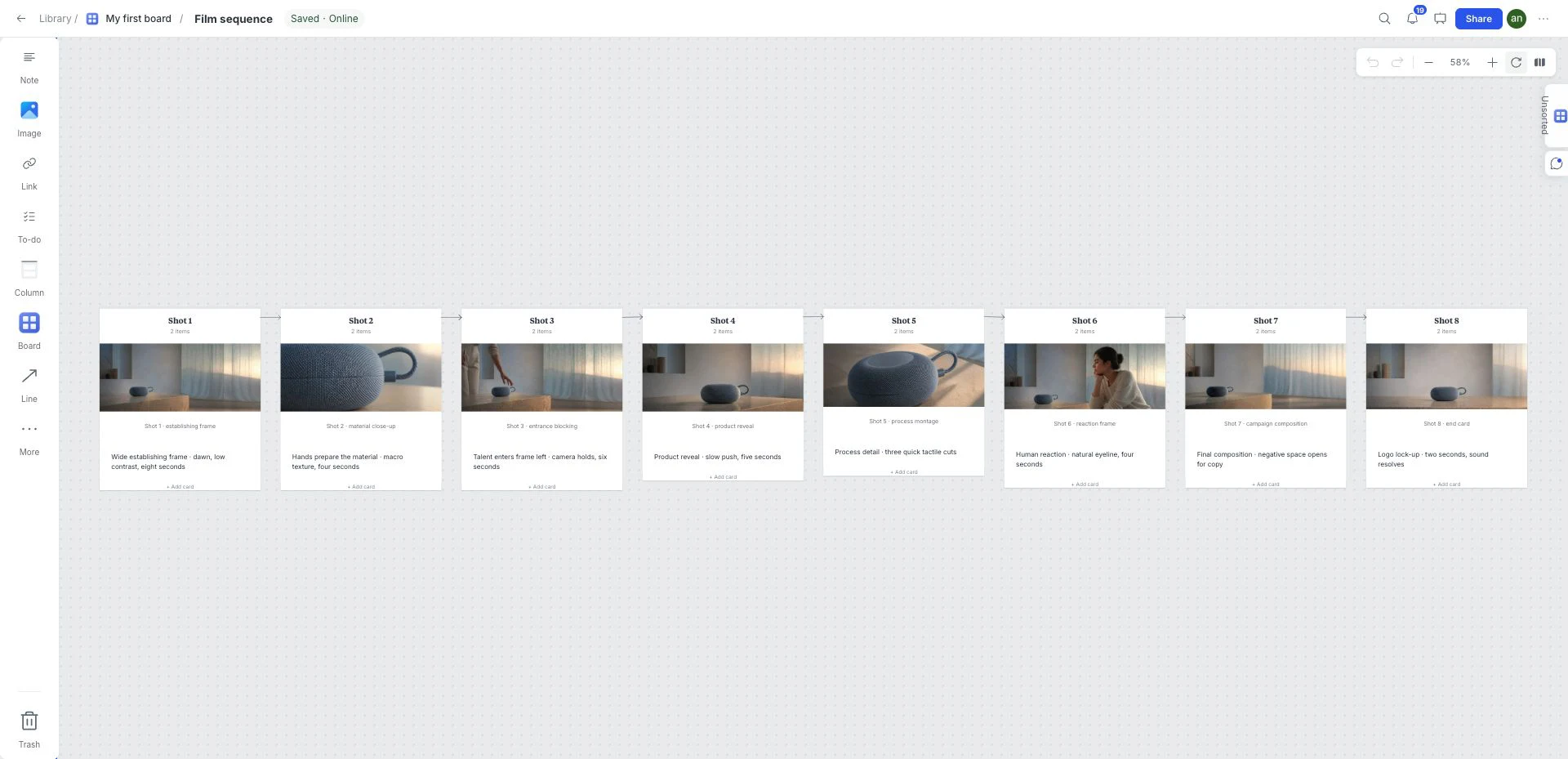
Plan a sequence of eight connected frames. Add references and shot notes to make framing, order and pacing understandable before production.
Free template · Google sign-in required · Editable example content
Opening…Open your workspace. Choose New board from the ⋯ menu to create an empty child board. In the new board’s ⋯ menu, choose Templates → Film Storyboard. Keep or remove example content, then Apply.

What is inside this film storyboard template?
A readable shot sequence with frame references and production notes. The starter supplies eight connected examples; it does not generate a finished film or set a required number of shots.
Eight shots
Use the eight-frame example as a sequence. Add or remove frames to match the actual length of your film.
Frame references
Replace the example images with sketches or approved references that communicate one visible action per frame.
Sequence connections
Follow the connectors to check the order and whether each transition makes sense.
Shot notes
Write framing, action, approximate duration and sound beside the relevant image.
A brief to try with this layout
Plan a short product film around a blue woven object: establish its silhouette, reveal the surface, show a detail and end on the full object. Use shot notes to separate what the camera does from what the subject does.
Before you share: Can someone follow the action and transitions before the shoot begins?
Read the practical guideHow to use the film storyboard template
- Open your workspace. Choose New board from the ⋯ menu to create an empty child board.
- In the new board’s ⋯ menu, choose Templates → Film Storyboard. Keep or remove example content, then Apply.
- Drop in references, links, files, and notes directly on the canvas.
- Edit the board until every item reinforces one clear direction.
- Use review and presentation tools when the direction is ready to discuss.
What a strong film storyboard looks like
- Give each frame one visible action and note the intended shot size.
- Use connections to make the sequence legible; add timing and sound notes beside each frame.
- Replace the sample imagery with your own approved visual references.
Who is this template for?
Filmmakers, motion designers and content teams planning a short sequence. It works as a starting point, not a locked deliverable, so the board can change with the project.
Compare all 12 templatesTemplates for the next part of the project
 Visual direction
Graphic Design Moodboard
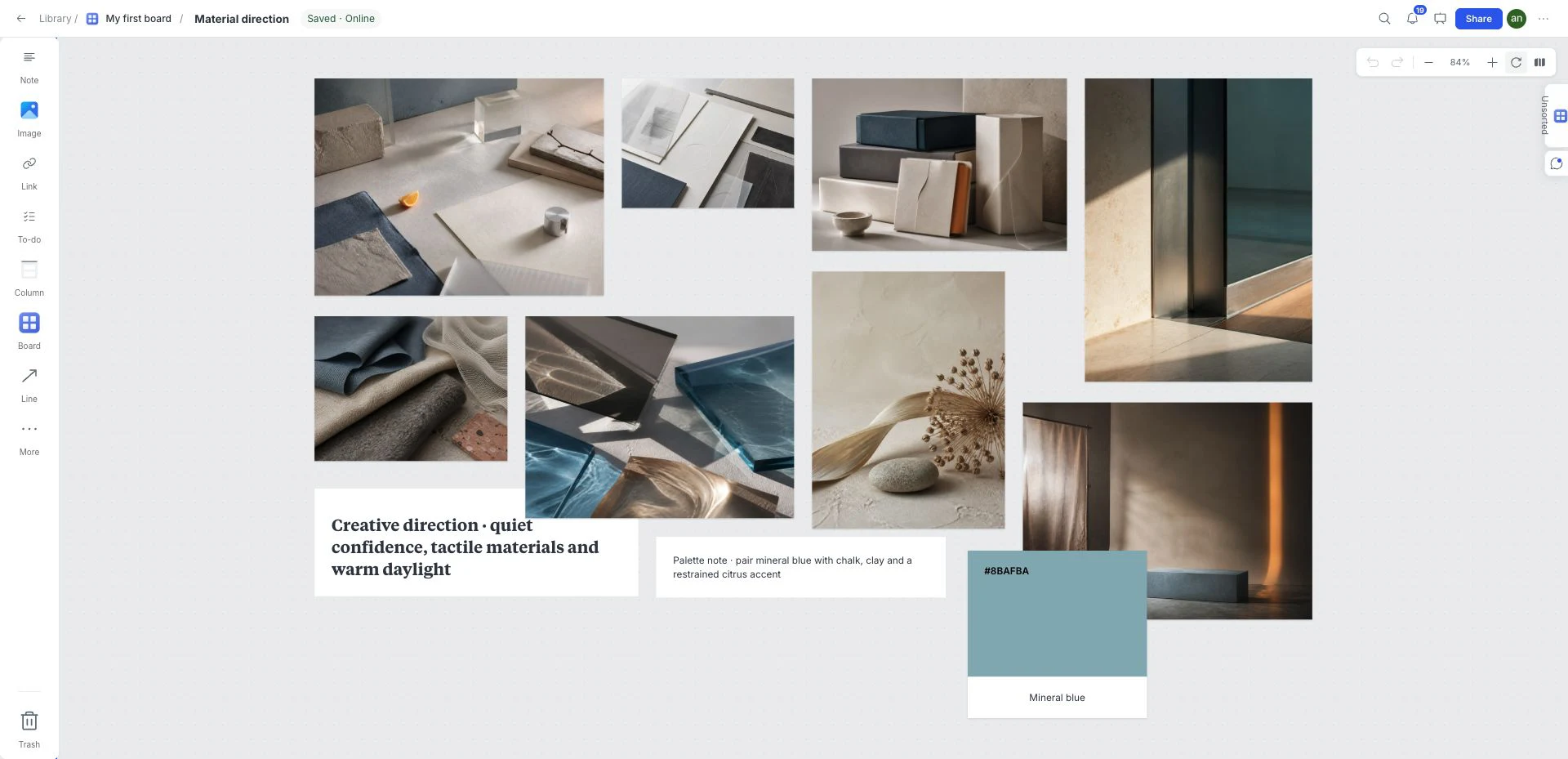
Compare visual references and a working color palette on an open canvas before committing to a brand, website or campaign direction.
 Creative strategy
Creative Brief
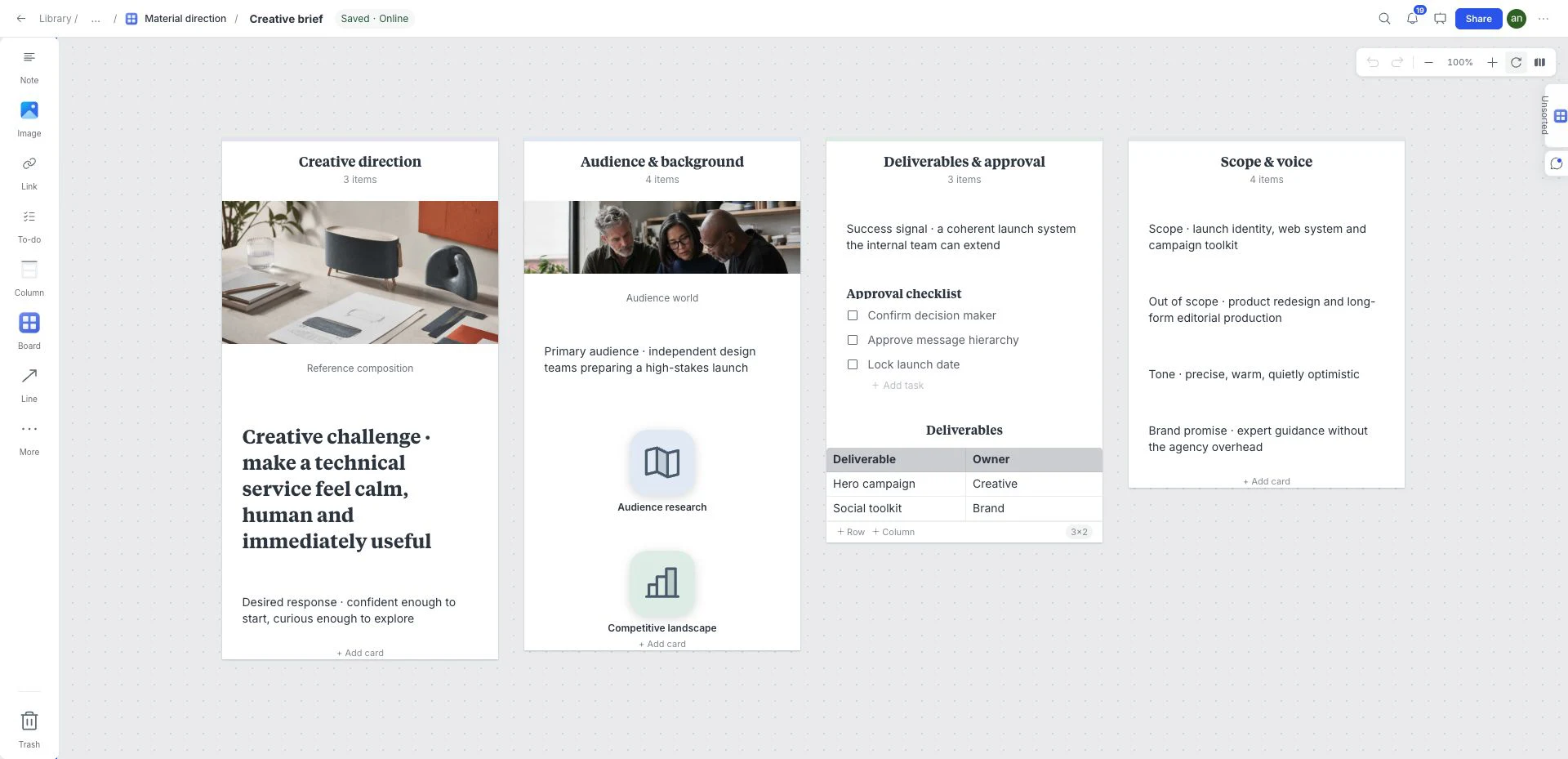
Put the background, scope and visual references beside the questions a designer or collaborator needs answered before work begins.
 Campaign planning
Product Launch & Campaign Plan
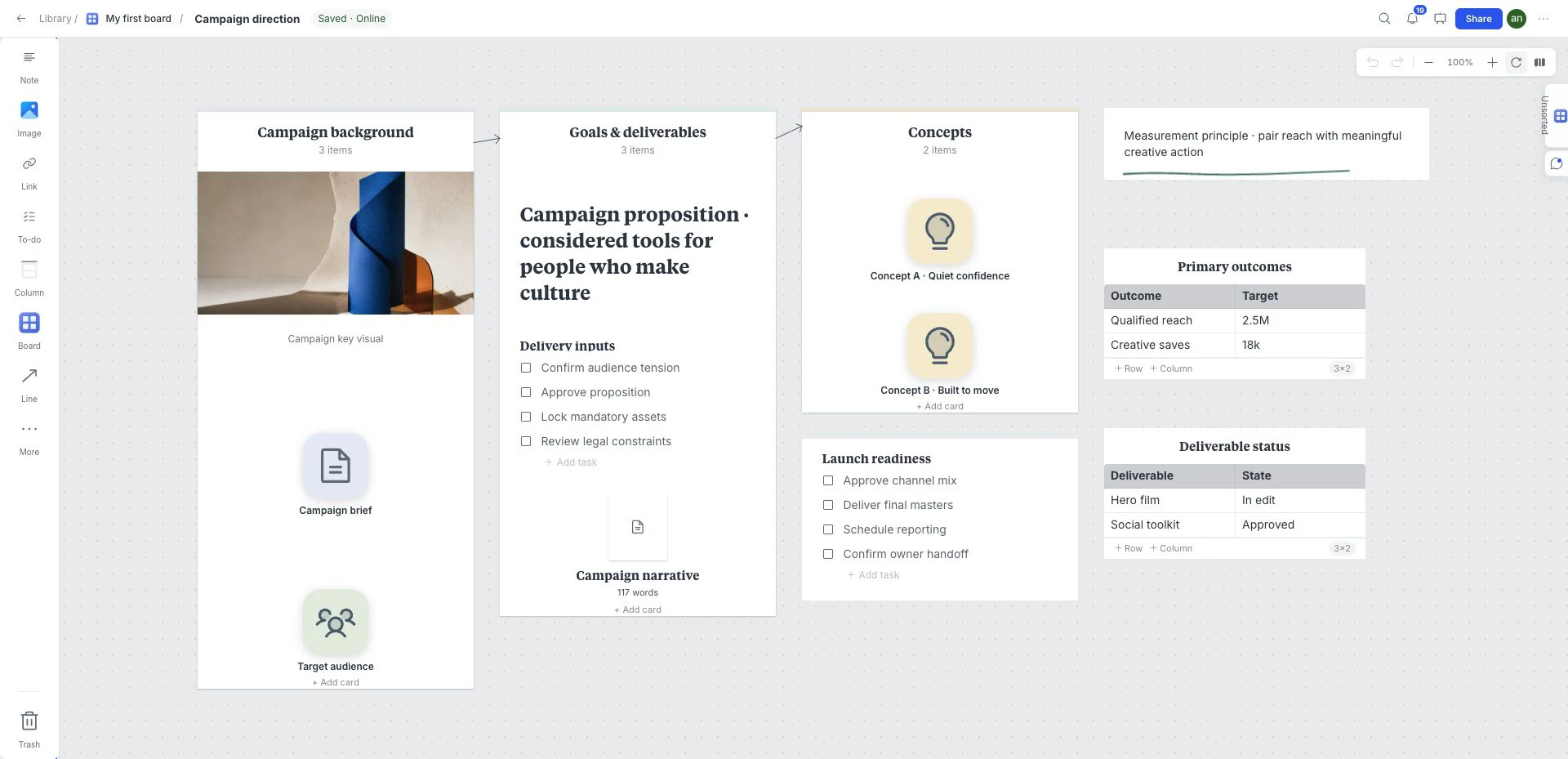
Plan a small product launch with goals, audience notes, visual references, deliverables and success metrics together. Start from Campaign Plan in the template library.
Frequently asked questions
Is the Film Storyboard template free?
Yes. This template is included in the current free workspace. Google sign-in is required to create and save a board; no credit card is needed. Paid subscriptions are not on sale.
Can I customize the Film Storyboard template?
Yes. Rename, remove, reorder, or extend the sections and add your own images, notes, links, files, colors, tasks, and sketches.
Where do I find this template in the board?
Create an empty child board using New board in the ⋯ menu. Open that child board’s ⋯ menu → Templates and choose Film Storyboard. Select whether to keep example content before Apply. Templates cannot be applied to the workspace root or a nonempty board.
What should I check before sharing this film storyboard?
Can someone follow the action and transitions before the shoot begins?