
Free Product Launch & Campaign Plan template
Plan a small product launch with goals, audience notes, visual references, deliverables and success metrics together. Start from Campaign Plan in the template library.
Free template · Google sign-in required · Editable example content
Opening…Open your workspace. Choose New board from the ⋯ menu to create an empty child board. In the new board’s ⋯ menu, choose Templates → Campaign Plan. Keep or remove example content, then Apply.
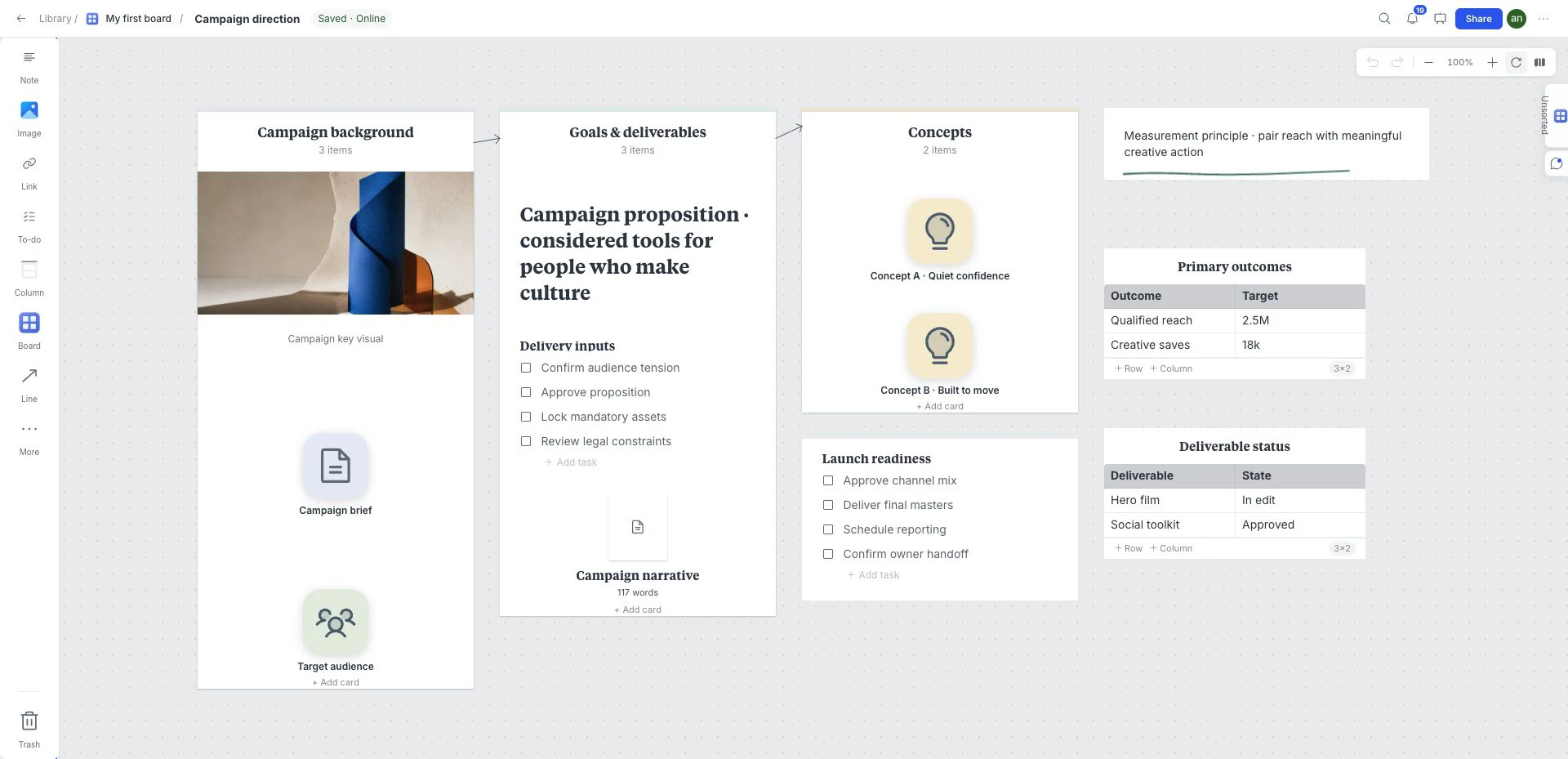
What is inside this product launch & campaign plan template?
A campaign overview that connects the objective to creative concepts, deliverables and measures. Find it in the library as Campaign Plan; adapt the content for a product launch instead of assuming a prebuilt launch schedule.
Campaign context
Write the objective, audience and message that the campaign must communicate.
Concepts
Compare creative ideas against that objective and retain the reason for the selected treatment.
Deliverables
Connect assets and task lists to the concept they support, then record what is ready for review.
Metrics
Replace the sample table with the measures and review dates that will tell you whether the campaign worked.
A brief to try with this layout
Plan a small product launch with one audience, one key message, a website update, an email and three social assets. Give every deliverable an owner and write the metric you will check after launch.
Before you share: Does each deliverable support the same message, and is there a concrete measure of success?
Read the practical guideHow to use the product launch & campaign plan template
- Open your workspace. Choose New board from the ⋯ menu to create an empty child board.
- In the new board’s ⋯ menu, choose Templates → Campaign Plan. Keep or remove example content, then Apply.
- Drop in references, links, files, and notes directly on the canvas.
- Edit the board until every item reinforces one clear direction.
- Use review and presentation tools when the direction is ready to discuss.
What a strong product launch & campaign plan looks like
- Write the campaign objective and audience before adding creative references.
- Connect concepts to the deliverables they support rather than to every nearby item.
- Update task lists and the metrics table with the actual review and launch criteria.
Who is this template for?
Marketers, designers and founders preparing a campaign or product launch. It works as a starting point, not a locked deliverable, so the board can change with the project.
Compare all 12 templatesTemplates for the next part of the project
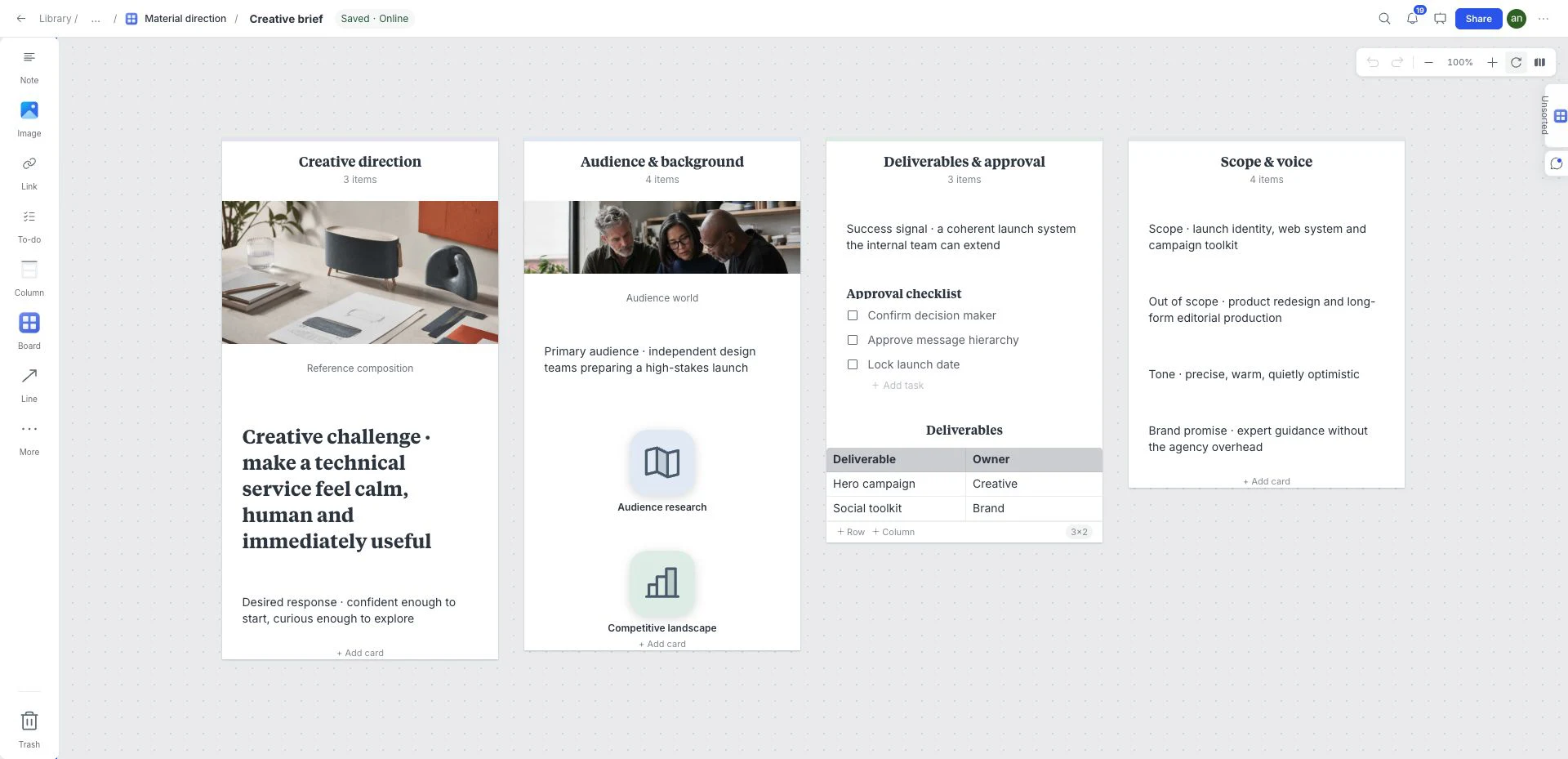 Creative strategy
Creative Brief
Put the background, scope and visual references beside the questions a designer or collaborator needs answered before work begins.
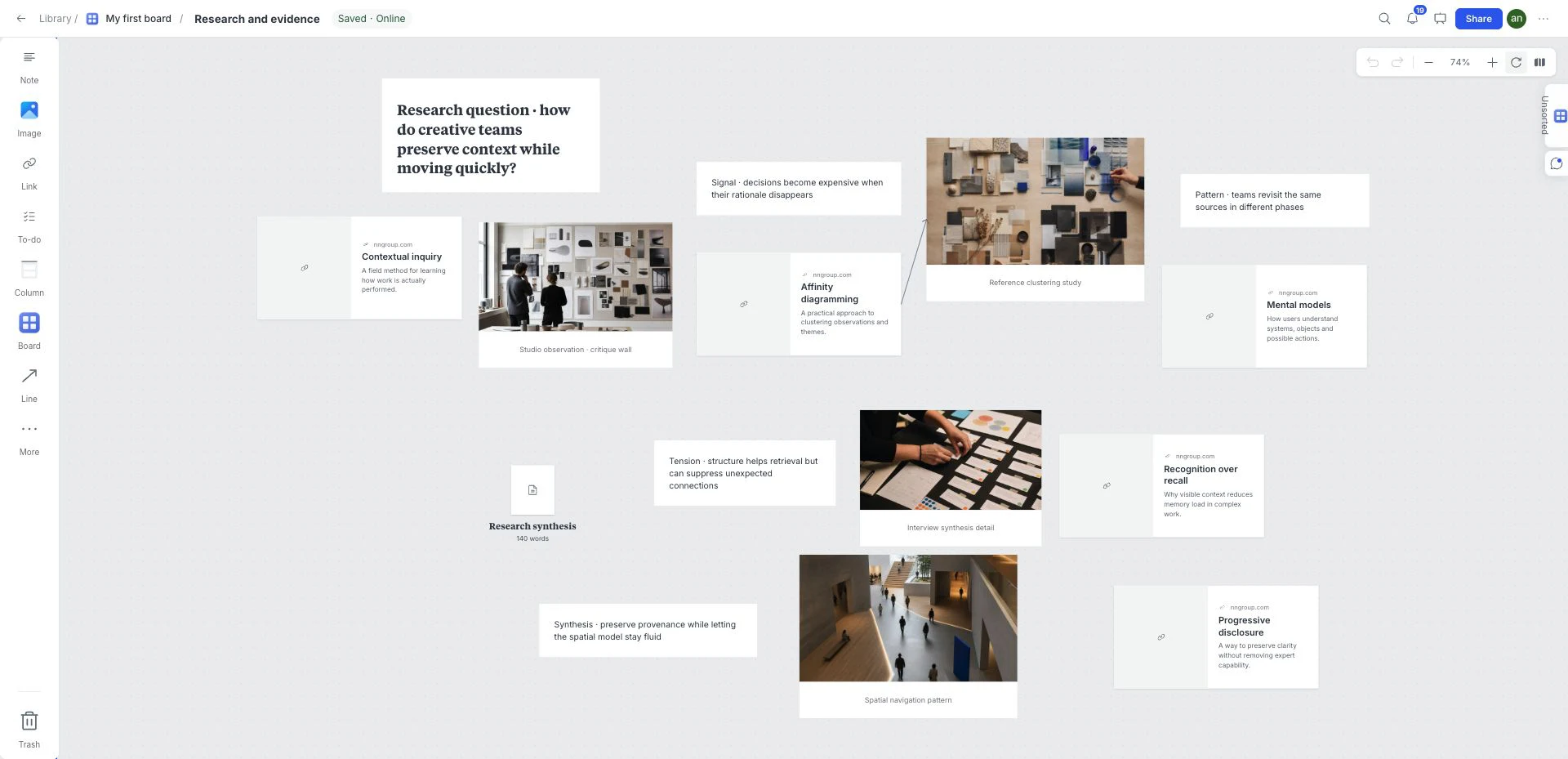 Research synthesis
Visual Research Board
Group source links, screenshots, quotes and longer research notes by topic on one visual board. Start from Research in the template library.
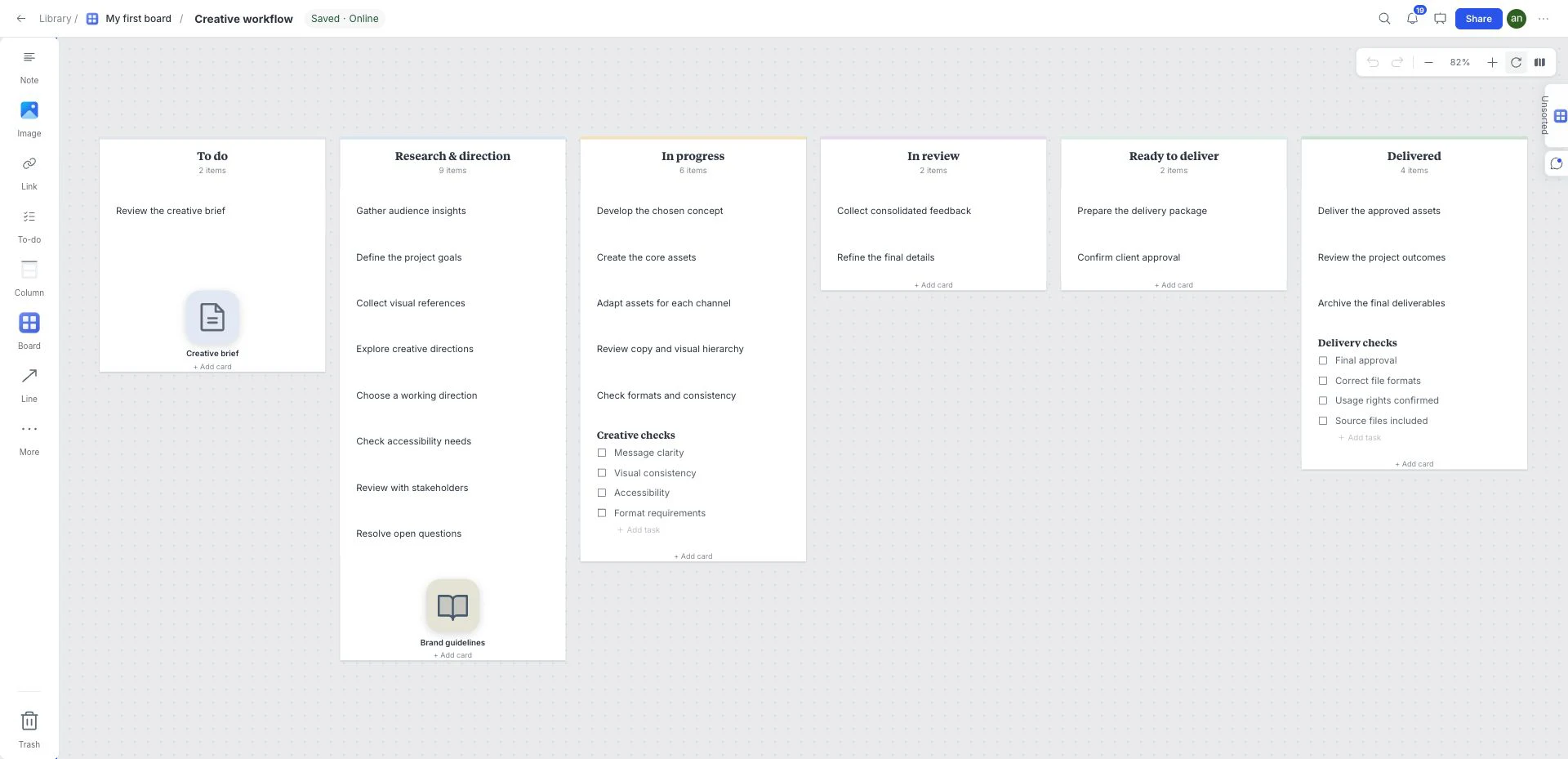 Tasks and delivery
Kanban Board
Use six workflow columns to make work visible. Move cards between stages, add task checklists and keep references beside the work they support.
Frequently asked questions
Is the Product Launch & Campaign Plan template free?
Yes. This template is included in the current free workspace. Google sign-in is required to create and save a board; no credit card is needed. Paid subscriptions are not on sale.
Can I customize the Product Launch & Campaign Plan template?
Yes. Rename, remove, reorder, or extend the sections and add your own images, notes, links, files, colors, tasks, and sketches.
Where do I find this template in the board?
Create an empty child board using New board in the ⋯ menu. Open that child board’s ⋯ menu → Templates and choose Campaign Plan. Select whether to keep example content before Apply. Templates cannot be applied to the workspace root or a nonempty board.
What should I check before sharing this product launch & campaign plan?
Does each deliverable support the same message, and is there a concrete measure of success?