
Visual workspace or simple moodboard maker: which fits the project?
Choose by the next action: a one-off collage, a developing direction, a research map or a multi-round creative review.
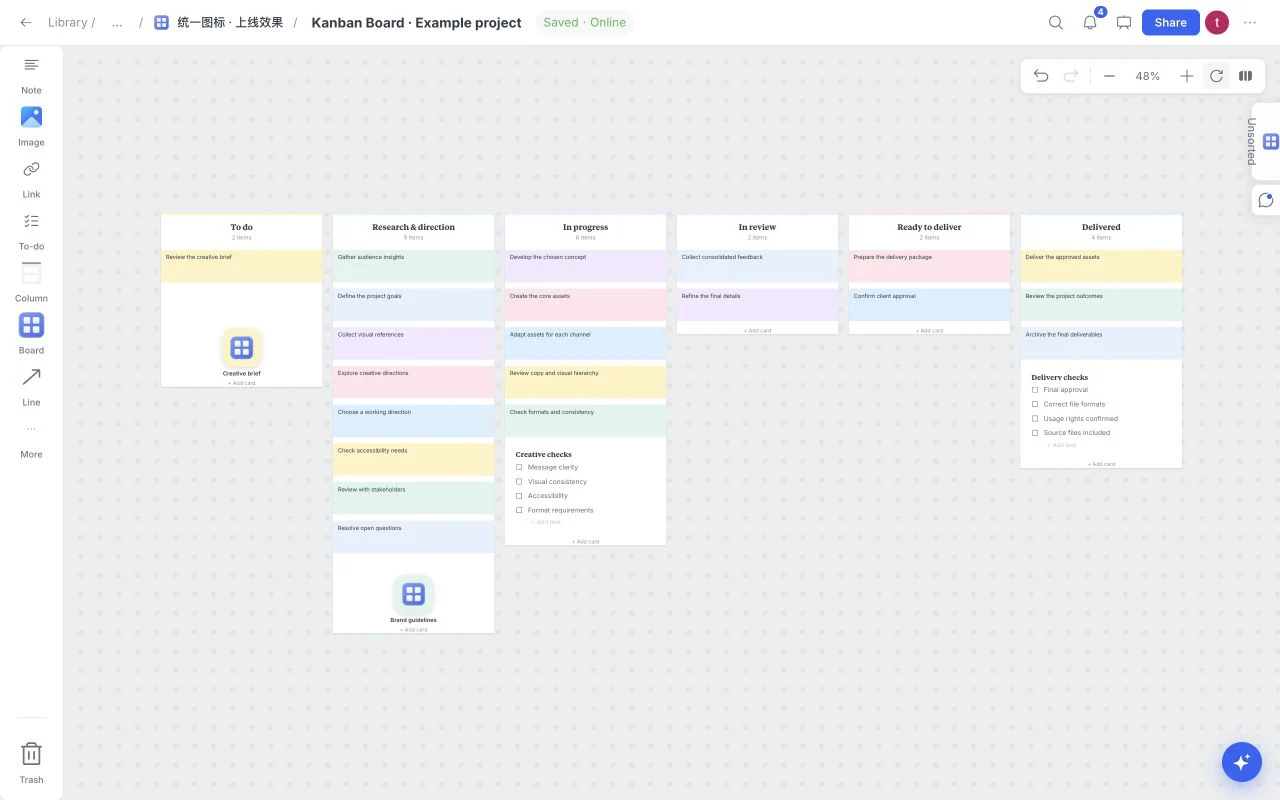
A fast collage tool and a visual workspace solve related but different jobs. The useful question is what must happen after the references are arranged: export one image, or keep developing, explaining and reviewing the project?
Choose a collage when the output is one snapshot
For a personal inspiration sheet or a fixed reference image, a lightweight maker may be enough. Look for straightforward upload, cropping, layout and an export format that fits the destination.
You may not need documents, comments or a task structure. The extra controls matter only when they reduce work you would otherwise do somewhere else.
Choose a workspace when the direction will change
A project that develops over several reviews needs source context, rationale and a place for the next action. In Moodboard, images can sit beside notes, links, files, swatches, task lists and documents. Child boards help separate a detailed exploration from the project overview.
This lets the board hold the working process as well as a final visual arrangement. It is still worth editing the structure: an open canvas does not make a disorganized project automatically clear.
Compare the cost of the next stage
| Need | A simple collage may be enough | A visual workspace helps when |
|---|---|---|
| A single inspiration image | Upload, arrange and export | The references need explanation |
| Creative direction | A fixed set is already agreed | Several directions must be compared |
| Research | Only the final theme matters | Sources and counterexamples must survive |
| Tasks | Work is tracked elsewhere | Deliverables need their visual context |
| Review | One person approves one output | Comments and revisions span several rounds |
| Reuse | A layout preset is sufficient | A repeatable project structure is useful |
These are workflow distinctions, not audited claims about any named competitor’s current feature set.
Match the template to the decision
Graphic Design Moodboard fits material and visual comparisons. Creative Brief organizes project background and scope. Research keeps sources, observations and a synthesis document together. Kanban Board makes task stages visible. Use an included template because its questions fit your project, not because it fills the screen attractively.
Board AI can propose supported structure or text after a request. Review the plan before Apply and check its assumptions. It is assistance inside the workspace, not a guarantee of finished creative judgment or automatic photo and video generation.
Keep the result portable
A live board can be the working document while an exported file becomes a handoff. Wait for Saved before exporting new uploads. Confirm the chosen export format, preserve source files and record the final decision in language a recipient can understand without the original meeting.
If the job is an evolving creative project, try the free online whiteboard. If you already know the project shape, compare the 12 included templates first.