
Free Graphic Design Project Plan template
Build a project hub with linked design work, background and inspiration. Keep the current brief alongside the path to the detailed working boards.
Free template · Google sign-in required · Editable example content
Opening…Open your workspace. Choose New board from the ⋯ menu to create an empty child board. In the new board’s ⋯ menu, choose Templates → Graphic Design Project Plan. Keep or remove example content, then Apply.
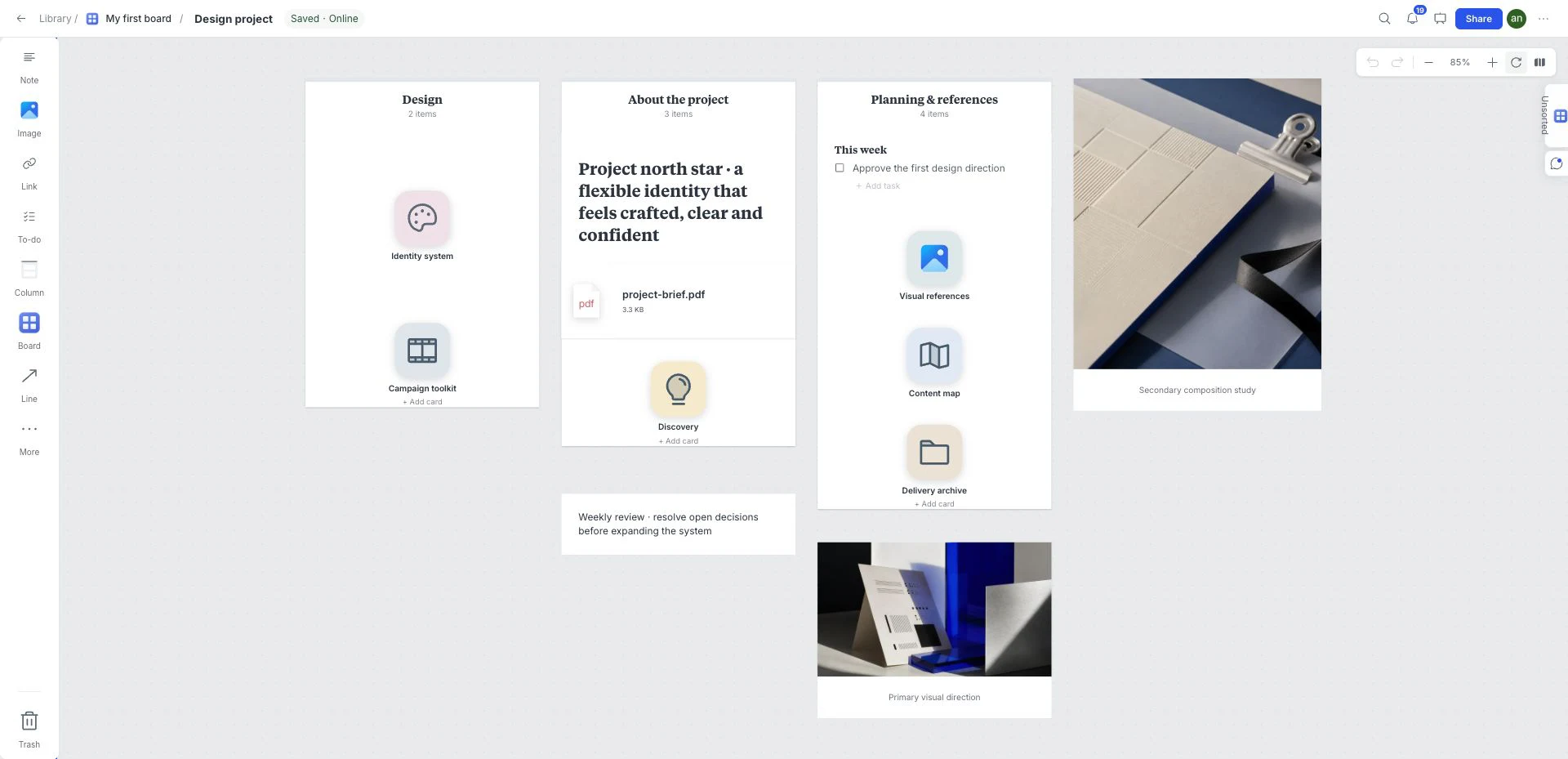
What is inside this graphic design project plan template?
A project overview that links the brief, background and detailed design work. It keeps navigation and rationale together without forcing every working item onto the same canvas.
Design work
Use child boards for detailed creative work and keep the overview easy to scan.
Project background
Record the problem, audience, constraints and current stage of the project.
Inspiration
Collect references in the inspiration area and annotate the qualities that matter.
Project brief
Replace the sample brief with the agreed assignment and the decisions still needed.
A brief to try with this layout
Organize a website identity project: keep the brief at the hub, explore visual direction in one child board and maintain a separate area for work awaiting review.
Before you share: Can a new collaborator locate the brief, the current direction and the next action?
Read the practical guideHow to use the graphic design project plan template
- Open your workspace. Choose New board from the ⋯ menu to create an empty child board.
- In the new board’s ⋯ menu, choose Templates → Graphic Design Project Plan. Keep or remove example content, then Apply.
- Drop in references, links, files, and notes directly on the canvas.
- Edit the board until every item reinforces one clear direction.
- Use review and presentation tools when the direction is ready to discuss.
What a strong graphic design project plan looks like
- Replace the example brief with the agreed scope and constraints.
- Keep the hub at overview level and develop detailed work in the linked boards.
- Record the current decision and next action beside each project area.
Who is this template for?
Independent designers and teams organizing a design project from brief to review. It works as a starting point, not a locked deliverable, so the board can change with the project.
Compare all 12 templatesTemplates for the next part of the project
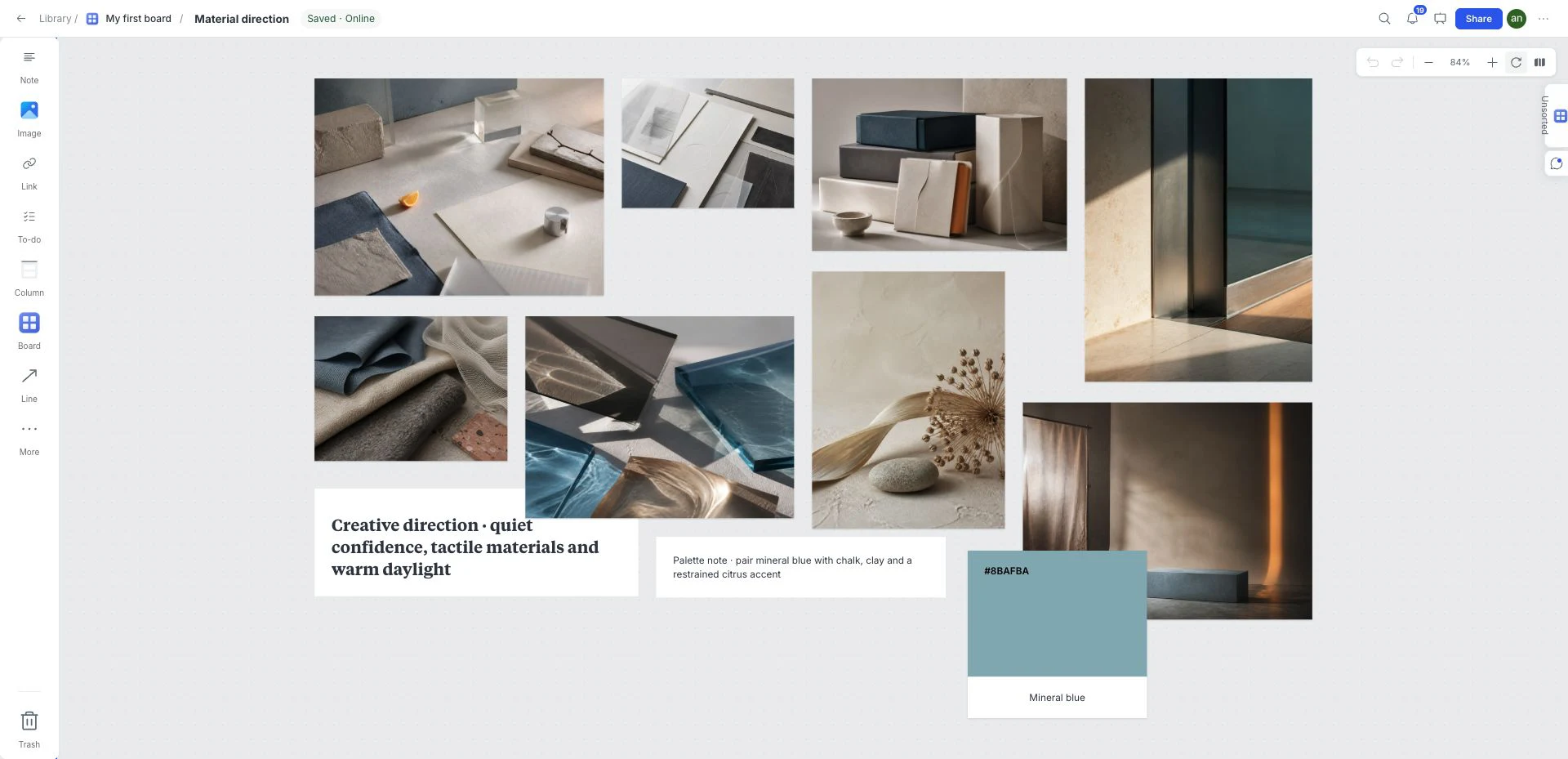 Visual direction
Graphic Design Moodboard
Compare visual references and a working color palette on an open canvas before committing to a brand, website or campaign direction.
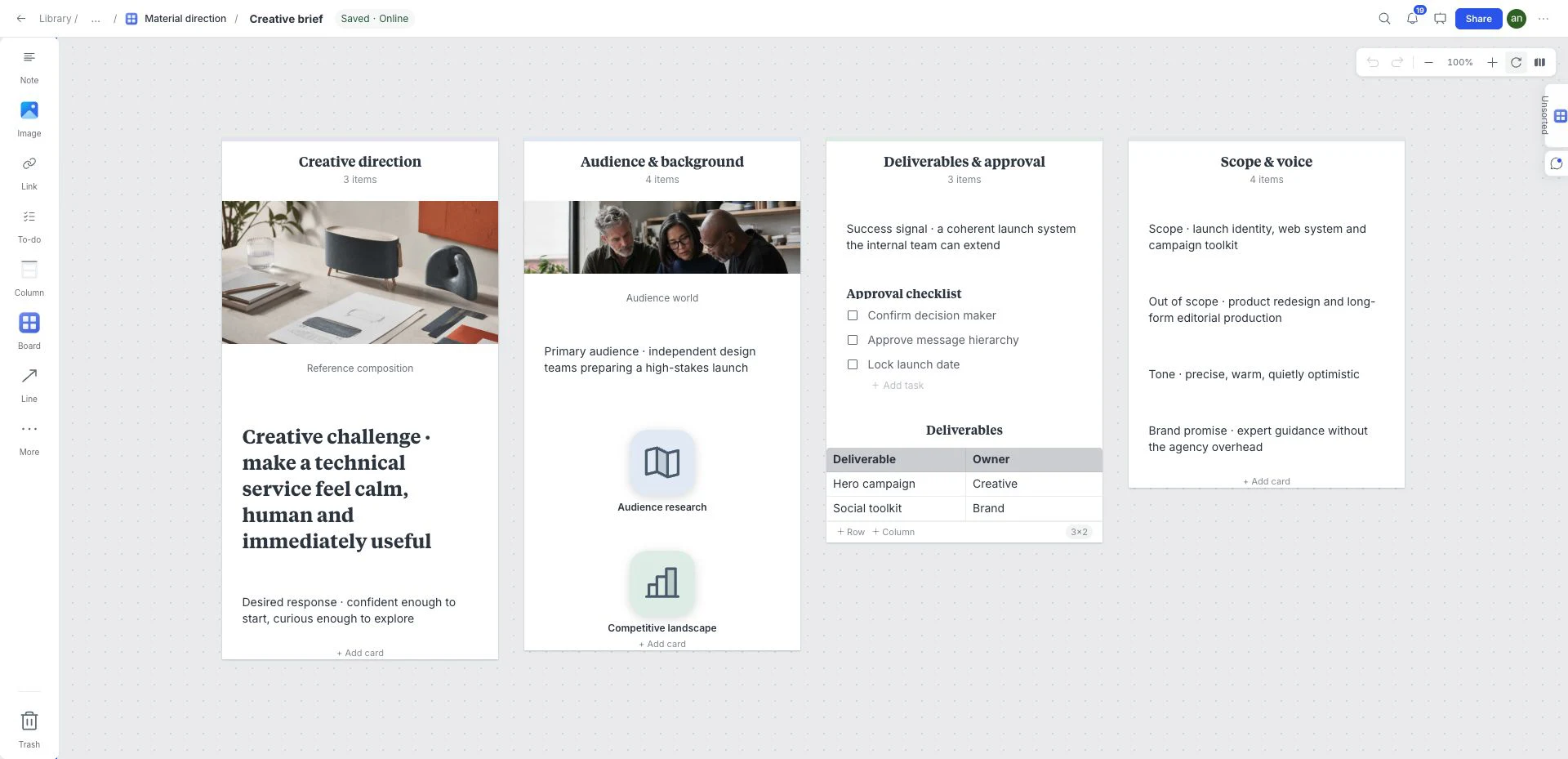 Creative strategy
Creative Brief
Put the background, scope and visual references beside the questions a designer or collaborator needs answered before work begins.
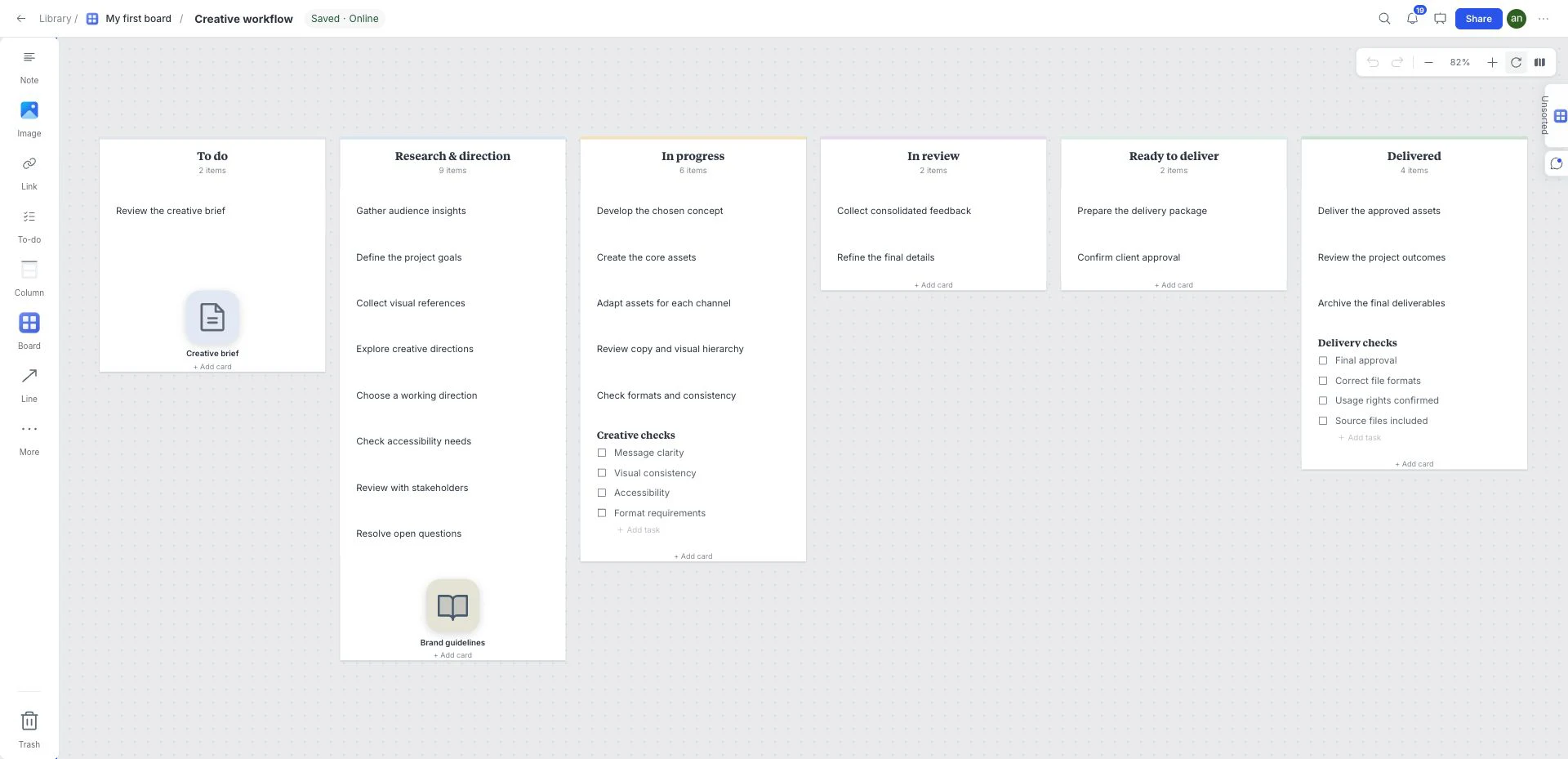 Tasks and delivery
Kanban Board
Use six workflow columns to make work visible. Move cards between stages, add task checklists and keep references beside the work they support.
Frequently asked questions
Is the Graphic Design Project Plan template free?
Yes. This template is included in the current free workspace. Google sign-in is required to create and save a board; no credit card is needed. Paid subscriptions are not on sale.
Can I customize the Graphic Design Project Plan template?
Yes. Rename, remove, reorder, or extend the sections and add your own images, notes, links, files, colors, tasks, and sketches.
Where do I find this template in the board?
Create an empty child board using New board in the ⋯ menu. Open that child board’s ⋯ menu → Templates and choose Graphic Design Project Plan. Select whether to keep example content before Apply. Templates cannot be applied to the workspace root or a nonempty board.
What should I check before sharing this graphic design project plan?
Can a new collaborator locate the brief, the current direction and the next action?