
Free Novel Plan template
Arrange a navigable story hub for inspiration, structure and characters. Develop longer notes in documents while the board keeps the story relationships visible.
Free template · Google sign-in required · Editable example content
Opening…Open your workspace. Choose New board from the ⋯ menu to create an empty child board. In the new board’s ⋯ menu, choose Templates → Novel Plan. Keep or remove example content, then Apply.
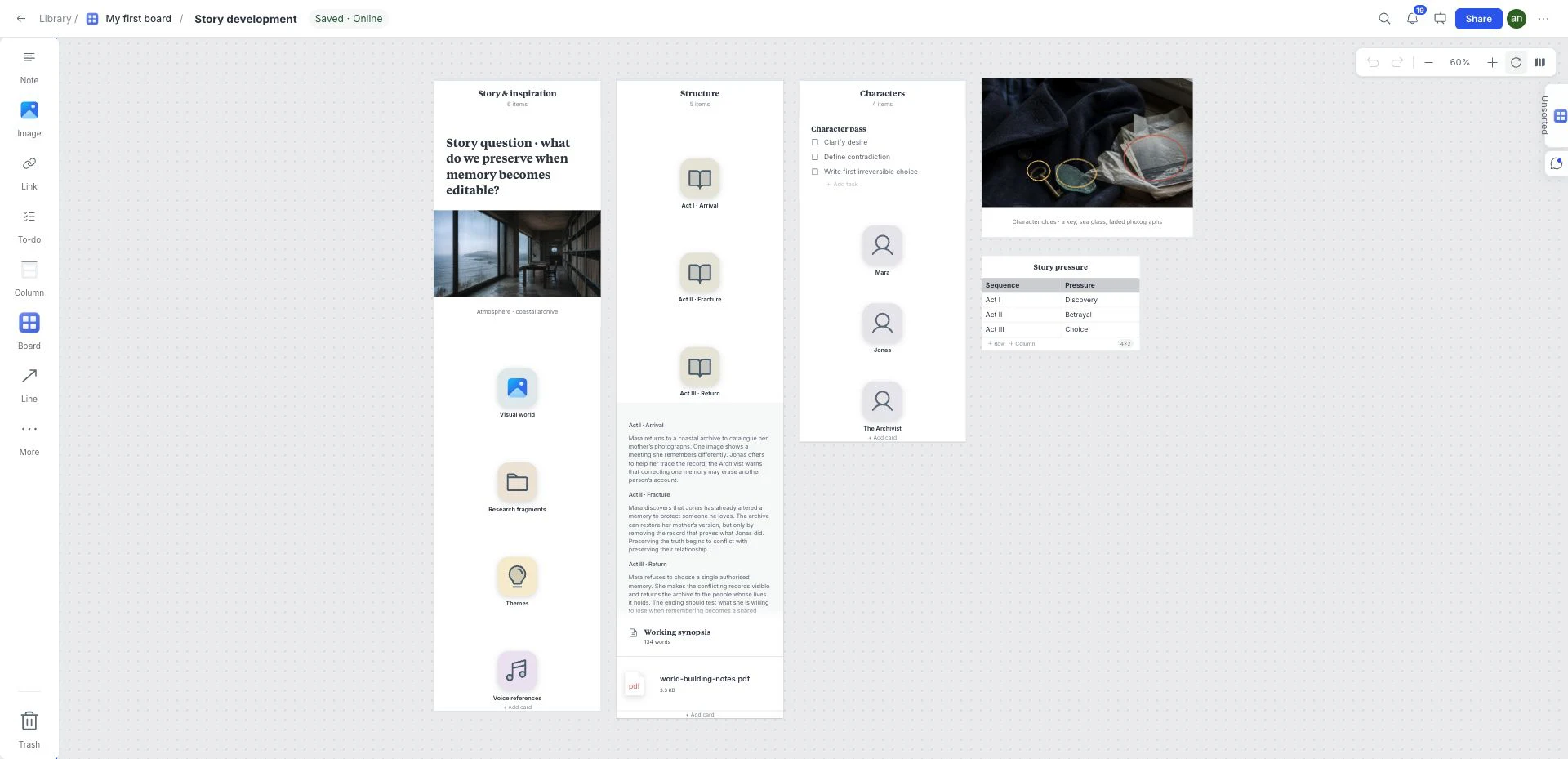
What is inside this novel plan template?
A story hub for structure, characters and world notes. It holds both visual atmosphere and longer writing so research can support the narrative without replacing it.
Inspiration
Collect atmosphere and research references, then state how they serve the story.
Story structure
Outline the central tension and the changes that carry the reader through it.
Characters
Keep motivations, relationships and unresolved questions with the relevant character.
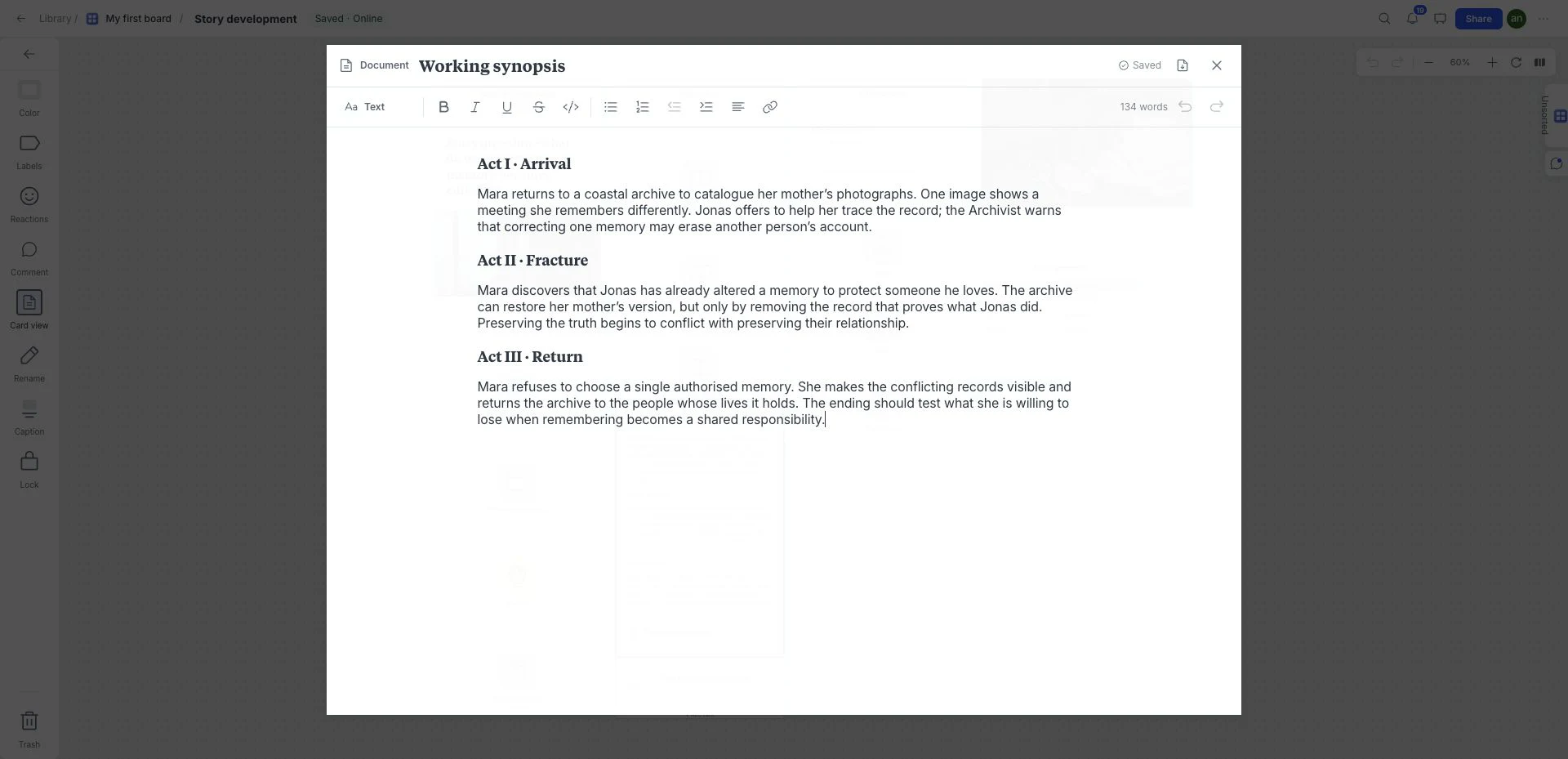
World notes
Develop longer world-building notes in documents and distinguish established rules from possibilities.
A brief to try with this layout
Plan a story about a traveler returning to a changed coastal town. Write the central conflict, map the relationships and keep visual atmosphere separate from the events that must happen.
Before you share: Do the characters’ choices move the central conflict forward, or is the board only describing the setting?
Read the practical guideHow to use the novel plan template
- Open your workspace. Choose New board from the ⋯ menu to create an empty child board.
- In the new board’s ⋯ menu, choose Templates → Novel Plan. Keep or remove example content, then Apply.
- Drop in references, links, files, and notes directly on the canvas.
- Edit the board until every item reinforces one clear direction.
- Use review and presentation tools when the direction is ready to discuss.
What a strong novel plan looks like
- Write the central tension before expanding the world.
- Use character boards for motivation, relationships and unresolved questions.
- Keep research and atmosphere references distinct from confirmed story decisions.
Who is this template for?
Writers and narrative designers developing a novel or story world. It works as a starting point, not a locked deliverable, so the board can change with the project.
Compare all 12 templatesTemplates for the next part of the project
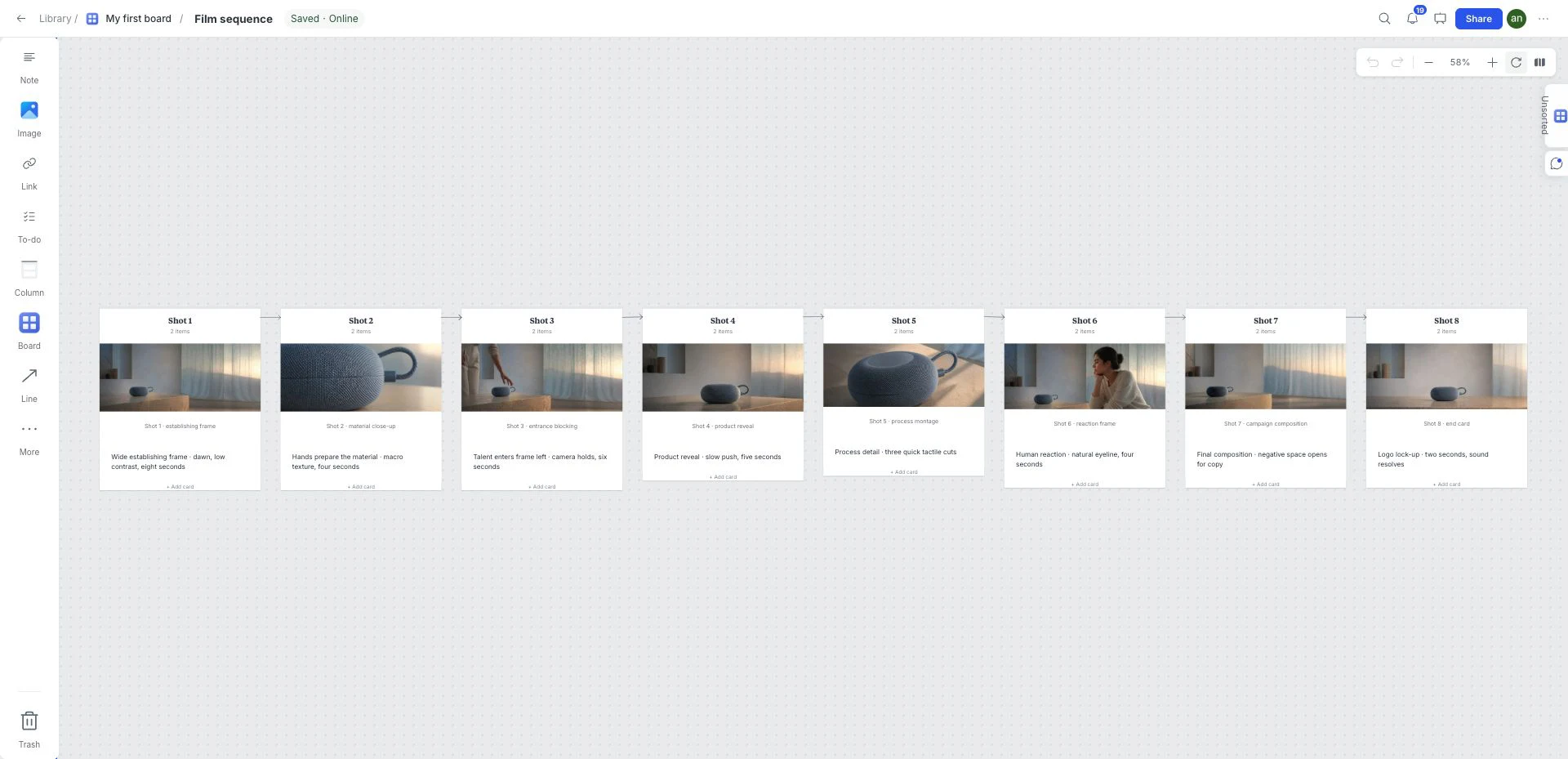 Film and video
Film Storyboard
Plan a sequence of eight connected frames. Add references and shot notes to make framing, order and pacing understandable before production.
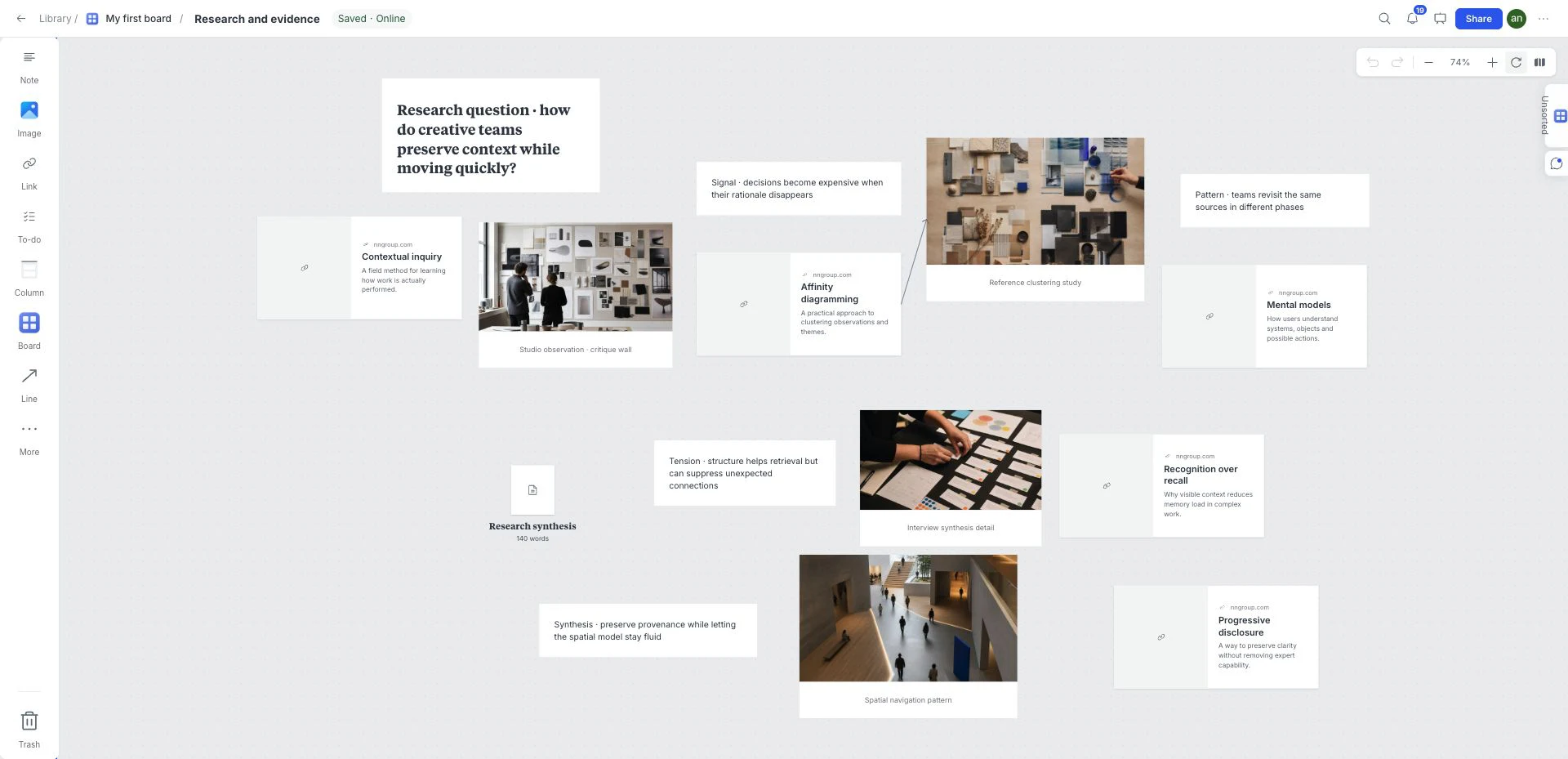 Research synthesis
Visual Research Board
Group source links, screenshots, quotes and longer research notes by topic on one visual board. Start from Research in the template library.
 Ideas and workshops
Brainstorming
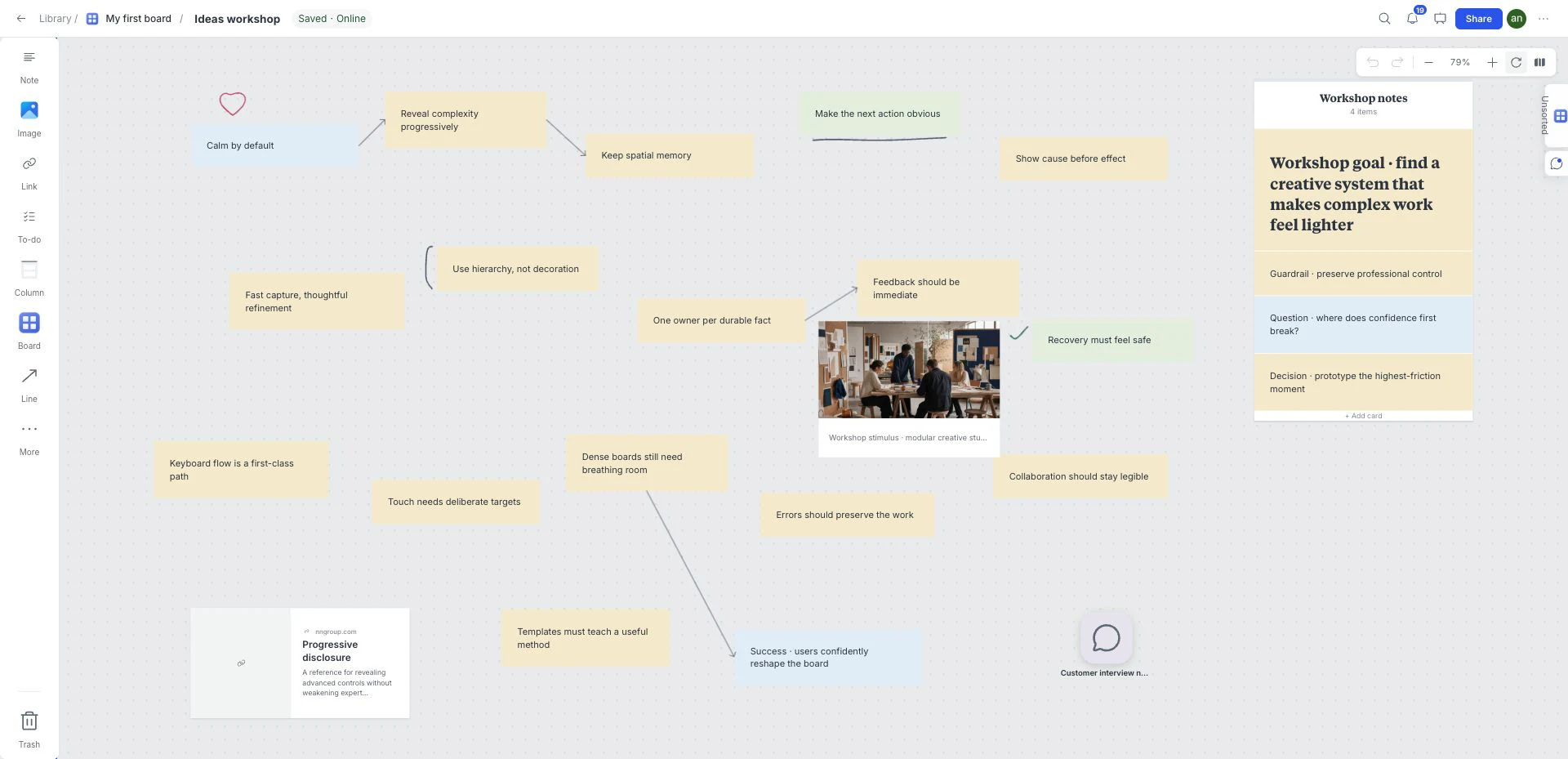
Start with a free-form field for ideas, notes and references. Connect useful relationships, then turn the strongest cluster into a direction to explore.
Frequently asked questions
Is the Novel Plan template free?
Yes. This template is included in the current free workspace. Google sign-in is required to create and save a board; no credit card is needed. Paid subscriptions are not on sale.
Can I customize the Novel Plan template?
Yes. Rename, remove, reorder, or extend the sections and add your own images, notes, links, files, colors, tasks, and sketches.
Where do I find this template in the board?
Create an empty child board using New board in the ⋯ menu. Open that child board’s ⋯ menu → Templates and choose Novel Plan. Select whether to keep example content before Apply. Templates cannot be applied to the workspace root or a nonempty board.
What should I check before sharing this novel plan?
Do the characters’ choices move the central conflict forward, or is the board only describing the setting?